Providing live broadcast services is just one part of the job as a technical director. The secret sauce lies in creating opportunities for interaction between the remote and on-site audience. That comes from key learnings for streaming live meetings with remote audiences. As a technical director, it is essential to not only ensure smooth live broadcasting but also facilitate engagement and interaction among attendees, regardless of their physical location.
Enhance the overall viewer experience for streaming live meetings
By leveraging the latest technology and incorporating innovative strategies, technical directors can enhance the overall viewer experience and make remote participants feel more connected to the event. This includes incorporating interactive elements such as live polling, Q&A sessions, and virtual networking opportunities. Through these efforts, technical directors play a crucial role in bridging the gap between remote and on-site attendees, creating an inclusive and dynamic experience for all.
To excel in this role, technical directors must continuously stay updated with the latest trends and best practices in remote live streaming, adapt to new technologies, and think creatively to deliver an immersive and engaging event experience.
Make room for improvement
I have been providing streaming services for almost a decade now. Yes, you read that right. That means I have seen a lot of technical changes with audience adaptation to this type of experience. However there is still room for improvement.
Those first years required a lot of trouble shooting and experimentation in terms of the technology needed. It was pretty much a one-way street in terms of interactivity between the remote and live audience. Obviously things have greatly improved in a few short years due to the consequences of the pandemic with more events and interactions being done remotely. We all know how to Zoom!
Nine Key Learnings for streaming live meetings with remote audiences
I am going to touch on the key learnings from streaming live meetings to both remote and on-site audiences. This approach can also cover the same for any type of meeting, from national businesses, non-profits, creative agencies, educational, ecclesiastical, worship, and local small businesses. These key learnings can be shared with a client in the preparation or demonstrated during the live event itself. Please add your own into the comments below.
#1 – Key learning is to acknowledge your remote audience even if you don’t see them directly. There is a camera pointed at you. Talk to them directly. Let them know you appreciate them being there and how you will engage with them through the session.
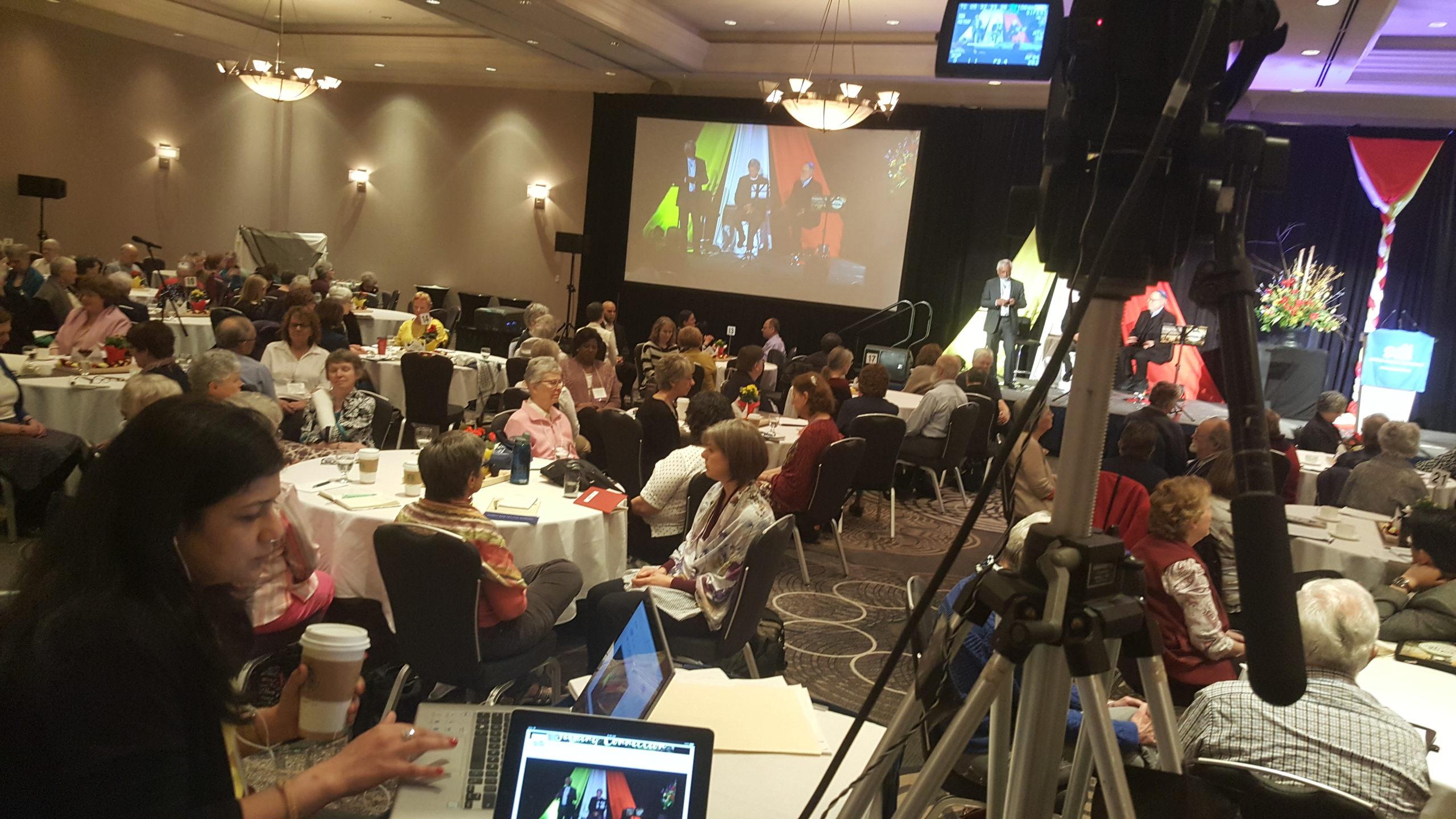
#2 – Bring your remote audience into the live room via a projection of their gallery view on a large enough screen that the live audience can see them clearly. Ask questions and broadcast their audio response back to room. Make sure you have the equipment setup to do this.
#3 – Curate the remote chat for technical questions and concerns. I like to use the remote audience as a live meter to check on the quality of the audio and video. I am directing this meeting for them. Asking them via chat if the audio is working, let’s them know you care about their experience. They will inform me if something goes amiss. I also monitor the session as a participant on another device.
#4 – Ask for a third party from the client side to monitor and curate the chat to respond to questions and to mirror live and remote activities. This key person can also be remote.
#5 – Engage the remote audience with active camera shots, medium and close-up shots work great with speakers, wide and panning shots of the room help to engage the remote audience with their counter parts. That is a key part of your job for the audience live and remote.
Final Key learnings for streaming live meetings
#6 – Live presenters have a tendency to leave their shared screen presentation on longer than needed especially when answering questions. I like to switch to a live feed of the room, to help bring the remote audience back into experience instead of just being passive listeners.
#7 – Large screens behind the live presenters are compelling for the audience too, especially if your streaming broadcast is also being projected there. That can be the same feed that your remote audience is seeing.
#8 – Key Learnings for streaming live meetings to remote audiences. Don’t leave your remote audience unable to hear something from the live meeting. I always run room audio from the camera, and if there is a PA system in place, a XLR cable out to my mixer. If not, perhaps the client doesn’t provide a PA system, make sure the presenter is providing direct audio to your remote audience through a wireless or cable mic.
#9 – Make sure to thank the remote audience at the end of the live meeting for joining, and leave the camera feed on as the audience leaves. People love to watch other people.
Technical Director Conclusion
Following these key learnings for streaming live meetings with remote audiences will make any online meeting into something memorable and valuable to all the participants. Please reach out if you need any help with your own event.