AI mental health is mental experience that I have been going through with AI Co-Creation.
In my case, where I am directing a creative process with AI as an assistant. This role specifically involves organization of transcripts, building B-Roll prompts, and storyline evaluations with a variety of AI tools. It is a pre-post production process that I have done many times prior to AI. After long AI sessions, I noticed a shift of cognition away from remembering every procedural step and toward aesthetic judgment, and conceptual direction, making discernment and synthesis more central than manual repetition of process.
I generally can remember things, but when I started getting more in the flow with AI co-creative, I noticed that I wasn’t able to remember each step anymore. It became a blur. I tried to document everything but that becomes burdensome. I thought maybe I was losing my memory due to age. That isn’t really the case, I am not that old yet 🙂 Is anyone else experiencing this effect? And if so, what method of discernment do you apply? Do you ask for a summarization of how you got to where you are?
AI Mental Health Discernment in Co-Creative
The Sense–Sample–Shape–Stage framework (PDF) offers a practical, theory-aware way to work with AI without giving up authorship or quality. Sense aligns purpose, references, and ethics; Sample opens the gates to abundance and surprise; Shape restores coherence through editorial craft and integration; Stage turns artifacts into situated experiences and feeds learning back into the next cycle. Reading our practice through Manovich’s five-phase arc clarifies a final point: evaluation is no longer just a verdict; it’s an opportunity for prediction and adaptation. The next generation of creative systems will not only generate on cue but will also help us anticipate reception. Our framework is ready for that world: it keeps the human decisively in the loop while embracing AI’s gifts—speed, scale, and serendipity.
Immersive Lab & Royal Academy of Fine Arts Antwerp, Belgium
AI Mental Health Image from Gemini based upon prompt
The inherent tension between supporting commercial success and artistic merit is a frequent focal point in discussions around German film funding reform, a reality I encountered firsthand with my own “brooding” art film project. While Germany boasts a rich history of critically acclaimed films that delve into complex societal issues, historical events, and introspective character studies—the very type often associated with the “brooding dramas” stereotype—the funding landscape is increasingly influenced by the domestic audience’s preference for feel-good comedies and family films.
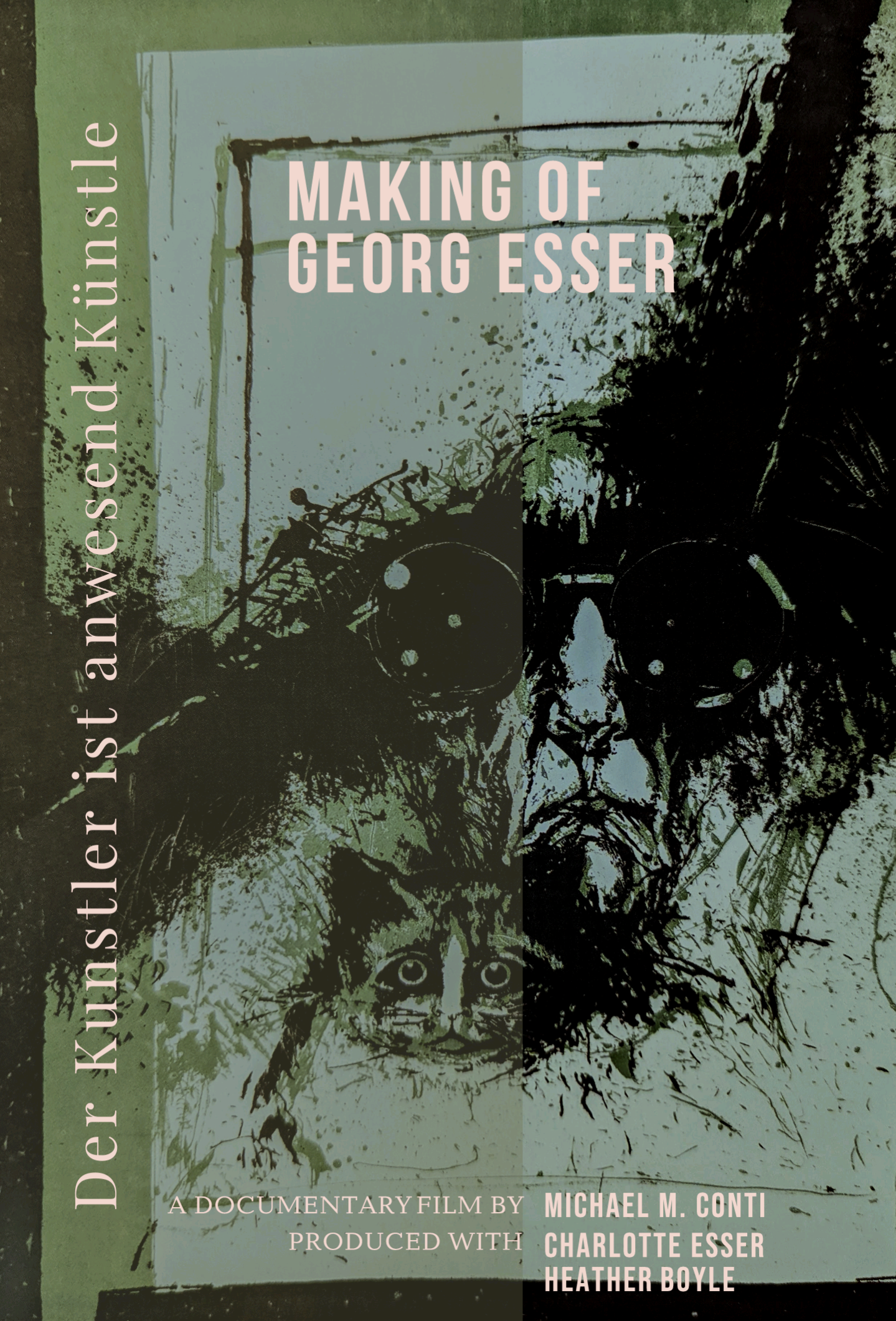
My project, an art film about an unknown painter developed with a German family about their deceased 92-year-old father, Georg Esser, was rejected twice for Film- und Medienstiftung NRW funding. Despite having a German residency and work permit as a film director and editor, and even securing a letter of intent for cinema distribution within Germany, factors that seemed to “tick all the right boxes;” it appears there was more at play, as analyses like those from Stephen Follows suggest in his own research. This situation highlights how an increased focus on box office success and “industry profit” in funding criteria might inadvertently de-emphasize artistic and culturally significant films, even those with strong regional ties and distribution potential.
My film’s rejection served as a poignant reminder that in the world of German cinema, the delicate balance between artistic vision and commercial viability remains an ongoing, often challenging, negotiation.
The Ultimate Guide to Storing Digital Movies: Formats, Solutions, and Tips
In today’s digital age, the way we store and enjoy movies has evolved significantly. With the advancement of technology, it’s easier than ever to digitize your VHS tapes, Hi8 camcorder footage, copy DVDs and Blu-rays, and store them in digital formats for convenient access and viewing. In this article, we will explore the best solutions and address common problems encountered during the digitization process. As a trusted resource in the industry, Michael Conti Productions has compiled a list of best format for storing digital movie recommendations to help you preserve and enjoy your movie collection. Read on to discover the optimal format for storing your digital movies and how to achieve it.
What are the various digital formats available for storing movies?
Which format is best suited for long-term storage and compatibility across devices?
Are there any specific considerations when choosing a format?
Most DVDs store movies in the standard MPEG-2 format (aka H.262) defined by the Motion Pictures Expert Group, though MPEG-1 is also supported. The video is held in VOB (Video Object) files. The video is interlaced for display on ordinary TV sets. The result is a resolution of 720 x 576 pixels at 25 frames per second, for 50Hz TV sets, or a resolution of 720 x 480 pixels at 29.97 frames per second, for 60Hz TV sets.
Copying DVDs and Blu-rays
Is it legal to make digital copies of DVDs and Blu-rays?
What tools and software can be used for copying DVDs and Blu-rays?
How can you ensure the best possible quality when copying these physical formats?
MPEG-2 was the obvious choice for DVDs as it was already being used for broadcast and cable television. The 720 x 480 format came from America’s NTSC television system and 720 x 576 from Europe’s PAL.
ISO or MPEG?
If you want to preserve everything on a DVD, then the simplest option is to copy the whole disc as an ISO disc image. You could burn this copy to another DVD for backup purposes. You could also play the ISO disc image using a software DVD player, including VideoLan’s VLC, or rip it using your choice of DVD ripping software.
What you have done so far is to rip a couple of DVDs to MPEG-2 (.mpg), so you may have the full original video for storing digital movies, but de-interlaced so it is now in the progressive display format used by computer monitors and HD TVs. However, you will probably have lost any extras, including VMG (video manager) files, subtitles, hidden files, adverts and alternative audio formats. DVDs can have audio tracks in PCM, DTS, MPEG-1 Audio Layer II (MP2), or Dolby Digital (AC-3) format. MP2 and AC-3 are the most common, and if you have to pick one of those, choose AC-3. It is much more efficient (smaller files) and sounds better than MP2, which is antique – though, sadly, it’s still used in Britain’s antique DAB radios.
For future-proofing, MPEG-2 files are the next best thing to ISO images, and I don’t foresee a time when PCs will be unable to play them. As with MP3 audio files, there are just too many around.
Making Movies into Digital Formats
Converting VHS tapes to digital formats comes with its own set of challenges. Here are some common hurdles you may encounter during the digitization process:
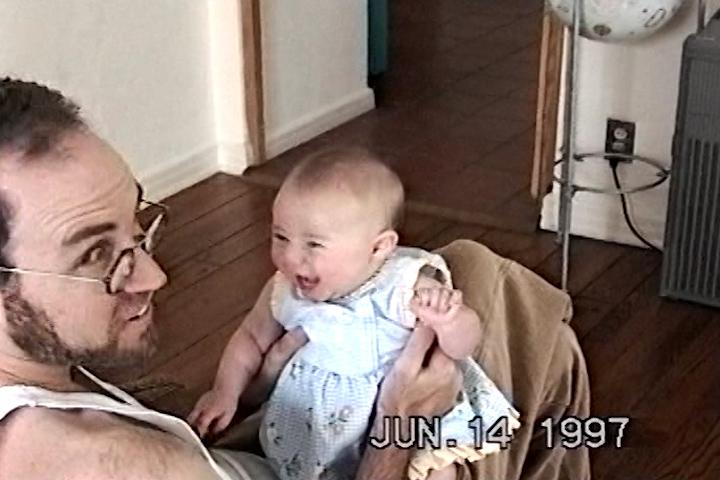
Over time, VHS tapes can experience audio and video synchronization problems, where the sound may be slightly ahead or behind the visuals. This can be challenging to correct during the digitization process and may require additional editing or adjustments afterward. The screen shot below by the author is after using Adobe Premiere Pro color grading tools as part of the post process to maintain the video quality as high as possible for future viewers. Those sweet memories are important to remember.
Filmmaker with his daughter (refurbished screen shot from Sony CCD-TRV228E Hi8 Video8 8mm Handycam Camcorder)
VHS technology is outdated, and finding VCRs or camcorders that can play VHS tapes may be challenging. Moreover, connecting the VCR to modern computers or devices for digitization purposes can be problematic due to differing connection standards.
What equipment and software are needed for a successful digitization process?
Are there any recommended techniques to enhance the quality of VHS-to-digital conversions?
Digitizing VHS tapes is a time-consuming process. You need to play each tape in real-time while recording it onto a digital format. This can be a labor-intensive task, especially if you have a large collection of tapes.
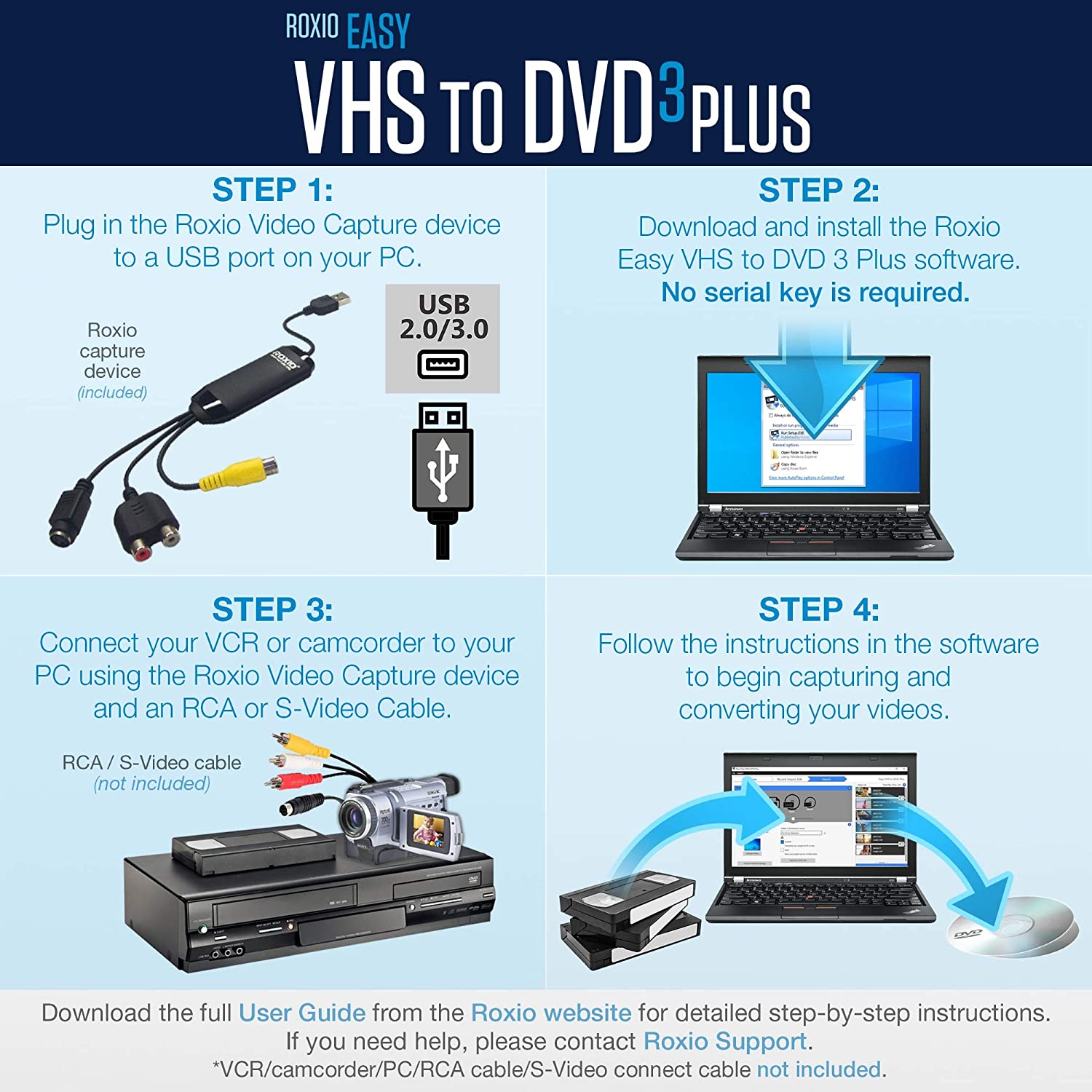
One product that might be helpful keeps your home movies in top condition by converting them from VHS to DVD easily with Roxio Easy VHS to DVD 3 Plus. More than just a VHS to DVD converter, this software has all the tools you need to enhance an older video. Add transitions, DVD menus, and rolling credits before sharing your movie digitally or on DVD. Unfortunately, that won’t work on Studio produced VHS tapes like Disney that have Macrovision copy protection enabled. This works by adding certain codes to these control lines that are interpreted by an Automatic Gain Control chip in a VCR to scramble the video signal if the video is being recorded. You can still watch the movie, but when you go to record it, there is a defect in the video signal on your recording. This defeats storing digital movies.
If you have a DVD to copy, your solution becomes easier as you will read below.
Despite these challenges, with proper equipment, care, and patience, you can successfully convert your VHS tapes to digital formats. It’s advisable to seek professional digitization services or consult reputable resources for guidance if you are unfamiliar with the process.
Storing and Organizing Your Digital Movie Collection
Digitization of personal recordings or tapes without copyright protection is typically permissible, but it’s essential to be aware of the legal limitations.
Computers and processors have become cheaper and much more powerful since MPEG-2 was specified in the 1990s. This means we can now use much greater levels of compression to make files smaller, and yet still decode them fast enough to keep up the frame rate. This led to the Blu-ray optical disc format, which mandates support for two new video standards: MPEG-4 AVC (Advanced Video Coding) and VC-1, the latter being based on Microsoft’s WMV-9. Some early Blu-ray discs actually used MPEG-2, as that was the basis for digital production at the time. However, H.264/MPEG-4 Part 10 AVC – commonly known as H.264 – is the most widely used format.
Blu-ray movies usually come in 16:9 widescreen resolutions of 1280 x 720 pixels, which is known as HD (High Definition) or 720p, or 1920 x 1080 pixels, which is Full HD or 1080p, where p stands for “progressive”. Blu-ray also allows for the use of interlaced video and the 4:3 DVD formats for backwards compatibility. HD TV sets will de-interlace videos automatically.
Now, video consumes a huge amount of space, so both DVDs and BDs use lossy compression to make the files smaller. MPEG-2 and MPEG-4 files are the equivalent of MP3 audio files in that respect. And, as you know, “transcoding” from one lossy format to another involves a loss in quality. It’s something to avoid if possible, and if not, to do only once.
Fortunately, this usually isn’t a problem if you’re reducing the movie’s resolution – for example, converting a 1080p video to 720p to get a much smaller file size – or viewing it on a smaller screen. It can be a problem if you are “upscaling” a DVD movie to 720p or 1080p.
Therefore, the resulting digital files may not meet the visual standards expected from today’s high-definition displays.
Storing Digital Movies for iPads and iPhones
You don’t have much choice if you want to use Apple iTunes and watch movies natively on an iPad or iPhone. Apple makes things simpler by eliminating dozens of popular alternatives (AVI, WMV, DivX, Xvid, FLV, MKV etc) and only allowing two real digital video options: MPEG-4 at 640 x 480 pixels and H.264 at up to 720p on most iPads, and up to 1080p on the iPad mini and iPad Air. Both formats are MPEG-4, so what’s the difference? MPEG-4 comes in lots of varieties and H.264 is actually MPEG-4 AVC Part 10.
The alternative is to use a third-party video player, such as VideoLan’s open source VLC for iOS. The website says it “can play all your movies and shows in most formats directly without conversion” and it works with iTunes.
If you decide to convert files, for storing digital movies, it depends on your DVDs and your iPhone and iPad. Download one of the free video converters and transcode your 720 x 576 MPEG-2 movies into 640 x 480 MPEG-4 movies, which iTunes should be happy to accept. If you have any widescreen movies, then I’d convert them to H.264/AVC in the 720p format. You might get a little extra quality for storing your digital movies if your iPad supports 1080p, but on such a small screen, there won’t be enough of a difference to justify the much bigger file sizes and longer transcoding times. (I don’t own an iPad so I’m basing this opinion on using PCs with much bigger screens.)
In defense of Super and Handbrake, I’ve used them for years and somehow got decent results out of them. I couldn’t manage that in my brief trial of Media Coder, though I did get a good conversion in my one go with Xmedia Recode. Also, it may better to use VidCoder rather than Handbrake: it’s easier to use and it uses Handbrake to do the transcoding.
With audio CDs, you can use Exact Audio Copy and FLAC, the Free Lossless Audio Codec, to make perfect digital copies that you can leave to your grandchildren, who will be able to convert them to whatever format is popular at the time. With DVDs, you don’t get a perfect copy, just a lossy video file, so an ISO is the most future-proof option. However, an MPEG-2 file that matches the original (just in a different wrapper, as it were) is almost as good. If you’re going to transcode MPEG-2 into something more modern, for storing digital movies, then H.264/MPEG-4 AVC is probably the best bet, and the files should be about half the size. Whether they’ll be good enough for the 4K (3840 x 2160 pixel) screens we’ll all be using in a few years is another matter.
A solution for storing digital movies
If you’re ripping commercial CDs or Blu-rays, for storing digital movies, you should store the original discs somewhere safe. These discs show that you own the originals and have re-purposed them for convenience, not pirated or downloaded them. Ideally, movie studios would make digital copies available online either free or for a reasonable fee,
In the US, Walmart and some other stores are offering Disc to Digital upgrades for storing digital movies. You take your DVDs and BDs to the store and pay $2 for a digital copy, which is actually stored by Vudu. You get to keep the DVDs. It’s quicker and a lot more convenient than ripping them yourself, and of course, the quality is excellent. I haven’t seen this promoted in the UK, though FindAnyFilm.com supports UV, and Tesco has offered buyers free digital copies via its Blinkbox service.
Filmmaker Answers: My digital movies
As a filmmaker, I have sold DVDs from The Unruly Mystic series at screenings prior to COVID, and continue to find an audience online for them. People think of them as books in a way, to be stored on a shelf. By putting an autograph on the cover reinforces that fact. I don’t think storing digital movies will ever work the same way unless you want to NTF your content.
Author: As principal owner of Michael Conti Productions LLC, Michael M. Conti, expertise and skills makes him the go-to person for producing high-quality videos that leave a lasting impact on audiences, no matter the platform. Produced for digital platforms, point-of-sale systems, cable, and television. Deliver both non-monetized and monetized live content to global audiences off-site.
Notes:
Some of this content What’s the best format for storing digital movies? originally appeared on guardian.co.uk in 2017.
Updated: Deleted reference to Ultra Violet as an online resource for storage of studio generated DVD or Bluray content.
As an Amazon Associate we earn from your qualifying purchases. Thank you for your support.